

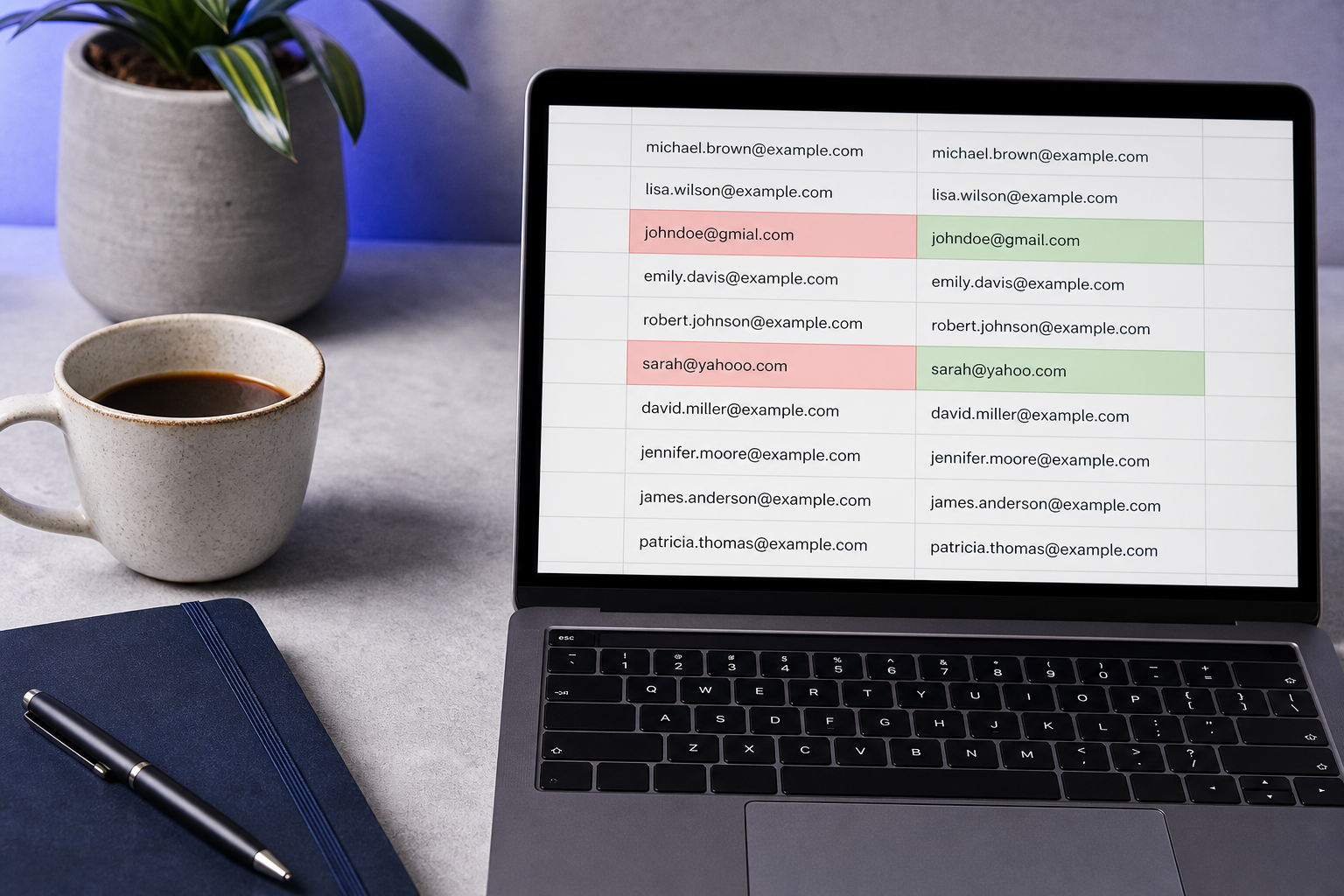
The bounce report lands in your inbox Monday morning: 47 of last week's 500 trial signups failed delivery. You scroll through the failures and the pattern emerges fast. Half are disposable — mailinator, guerrillamail, the usual suspects. The other half are something more painful. johndoe@gmial.com. sarah@yahooo.com. mark@companay.co.uk. Every one of those is an email typo that your regex validator waved through, your database accepted, and your ESP attempted to deliver before bouncing back with a "user unknown" code. Three things just happened simultaneously: your conversion metrics dropped because those users never received the welcome email, your sender reputation took a measurable hit, and your engineering team is now debugging the signup flow instead of shipping features. The typos weren't the user's fault — they were a workflow failure.
Table of Contents
- Why Email Typos Cost More Than Bounce Rate Reports Show
- Where Email Typos Slip Through Your Current Signup Workflow
- The Anatomy of Common Email Typos
- How Real-Time Email Validation Stops Typos at the Form Field
- Integration Patterns for Adding Typo Detection
- A 10-Step Audit and Rollout Checklist
Why Email Typos Cost More Than Bounce Rate Reports Show
The visible cost of an email typo is the line item on your ESP dashboard labeled "hard bounce rate." That single number compresses an entire class of damage into a percentage point or two, which is exactly why most teams under-invest in fixing it. The bounce rate is the smoke. The fire sits in five places your dashboard doesn't show.
Start with the scale of the problem. According to Experian's global contact data quality research, up to 20% of emails collected via web forms contain errors — typos, syntax errors, invalid domains, or disposable addresses. The same research finds that about 30% of customer and prospect data in CRMs is inaccurate, and email is consistently named as the single most error-prone field. Against that baseline, your "healthy" bounce rate of around 0.7% isn't reassuring — it just means most of the typos in your database have never been sent to. They're sitting in your users table, polluting cohort math, waiting to detonate the next time you broadcast.
The hidden costs compound from there.
Sender reputation decay is the first and most expensive. According to the Validity / Return Path Deliverability Benchmark Report, a 10-point drop in sender reputation can cut inbox placement by up to 20 percentage points. Hard bounces from typo-driven failures — "user unknown," "domain does not exist" — are weighted more heavily by mailbox providers than soft bounces. Google's Gmail Postmaster Tools documentation explicitly lists persistent hard bounces as a negative quality signal. Every typo you send to is a small deposit into a reputation account you'd rather keep at zero. Putting email address validation at the point of capture is the architectural fix; everything else is downstream cleanup.
Cohort data pollution is the second. When 5–10% of B2C signups are disposable or typo-laden addresses, every funnel metric downstream gets poisoned. Activation rate, trial-to-paid conversion, week-1 retention — all calculated against a denominator that includes users who never received a single product email. Your A/B tests run on contaminated data. Your growth team optimizes against signal that doesn't exist.
Support load is the third. Tickets that read "I never got the welcome email" or "your verification link is broken" are almost always typos. Users don't blame themselves; they blame the product. Each ticket costs roughly 15–30 minutes of support time, and the root cause is a character your form should have caught.
Trial abuse enablement is the fourth. Users willing to enter a careless typo correlate statistically with low-intent signups. The same form fields that let through gmial.com also let through disposable addresses used for trial recycling. The two problems share an upstream solution.
Engineering opportunity cost is the fifth. When deliverability issues surface, the engineering team is the one debugging signup flows, examining bounce logs, and patching the form. Those are hours not spent on the roadmap.
Zoom out and the macro picture sharpens. According to Thomas C. Redman in Harvard Business Review, bad data costs the U.S. economy an estimated $3 trillion per year, with contact information cited as a major contributor. Redman's central argument is the one worth internalizing: poor data quality is a process failure, not a user mistake. Organizations should build quality in at the point of capture, not clean up later.
Typos aren't a deliverability problem you fix later — they're a process failure you prevent at capture.
Where Email Typos Slip Through Your Current Signup Workflow
Every typo in your database arrived through a structural gap in the stack. Five of those gaps account for nearly all the damage.
- Client-side regex validation that only checks syntax. Most signup forms use HTML5
type="email"or a regex pattern. These confirm the address has an@and a.somewhere — that's it.johndoe@gmial.compasses every regex check ever written because it is syntactically perfect. Per IETF RFC 5321 and RFC 5322, the address is fully compliant; only its real-world delivery fails. Syntax validation answers "is this an email-shaped string?" not "will this email reach a human?" - No DNS or MX record verification. Syntax validation never asks "does this domain exist and accept mail?" Catching
companay.co.ukrequires a live DNS lookup against the MX record. Without that lookup, the address enters your database looking valid, gets a welcome email fired at it, and produces a hard bounce hours later when the receiving server doesn't exist. - Post-signup batch validation. Some teams run validation nightly or weekly against the previous day's signups. By then the welcome email has fired, the bounce has registered against sender reputation, and the user has already churned out of frustration. Batch validation is useful for list hygiene on imported data — it is not a substitute for capturing clean addresses in the first place.
- Reliance on bounce reports as the validation layer. Treating ESP bounce data as your QA system means you're validating after paying for the send, after the deliverability hit, and after the user has formed a negative impression. Spamhaus best-practice guidance is explicit: prompt removal after a hard bounce is the floor of good list hygiene, not the ceiling. Bounce reports are an outcome metric, not a control.
- Manual QA on imported lists. When sales hands over a CSV from a trade show, or your CRM migration drops 50,000 contacts into the database, human review can't catch typos at scale. One person can spot
yahooo.comonce. Nobody can spot it across 50,000 rows. The economics of manual review collapse the moment volume exceeds a few hundred records.
Each of these five gaps is structural. The fix isn't "be more careful" — it's relocating validation to the point of entry, which the next sections work through in detail.

The Anatomy of Common Email Typos
Before you can design detection, you need a taxonomy. Real-world typos cluster into seven categories, and each one demands a different detection mechanism. Some are trivially catchable. One is genuinely impossible.
| Typo Category | Example | Why Basic Validation Misses It | Detection Method Required |
|---|---|---|---|
| Single-character swap | gmial.com vs. gmail.com | Syntax valid; conforms to RFC 5322 | Levenshtein distance against known-domain list |
| Character duplication | yahooo.com | Looks plausible; passes regex | Domain similarity scoring + MX lookup |
| Missing character | gmal.com | Resembles real domain; syntax valid | Frequency analysis + suggestion engine |
| Transposition | gmai.lcom or gmial.con | Structure parses as valid | DNS/MX record verification |
| Wrong TLD | gmail.co vs. gmail.com | .co is a valid TLD | Domain existence + popularity weighting |
| Truncated domain | user@gmail or user@co. | Caught only by strict syntax | RFC 5321 compliance + MX lookup |
| Phonetic / regional confusion | centre.com vs. center.com | Both may exist as real domains | Requires user intent — not automatable |
The taxonomy splits cleanly into two buckets, and the split tells you what's possible and what isn't.
Detectable typos account for 95%+ of real-world cases. Anything that produces a non-existent domain falls to a single MX lookup. That's the workhorse of typo detection — one DNS query, sub-100ms, conclusive answer. Anything that produces a domain within 1–2 character edits of a top-50 freemail or business domain (gmail.com, yahoo.com, outlook.com, icloud.com) is catchable via similarity scoring. A typo suggestion engine that surfaces "Did you mean gmail.com?" handles this category natively. A modern validation API — one that combines syntax, MX, similarity, and a disposable email address checker in a single call — covers the entire detectable bucket in one round trip.
Internationalized domains add complexity worth flagging. IETF RFC 6531 (SMTPUTF8) permits UTF-8 in mailbox names and domains. Production validators must decide whether to fully support these addresses or constrain to ASCII for simplicity. Most B2C SaaS opts for ASCII-only at the form layer to reduce false positives, accepting that a small subset of international users will hit friction.
Undetectable typos are the residual under 5%, and you need to be honest about them. A user who meant john@company.co.uk but typed john@company.com is invisible to any algorithm — both domains exist, both accept mail. A user who entered an old email address by habit rather than the one they meant to use today is similarly invisible. No validator can read minds.
Double opt-in is the only meaningful safeguard against this residual category, and it comes with a real cost: according to Mailchimp and similar ESP documentation, 5–20% of potential subscribers never confirm, depending on audience and incentive. That tradeoff is a strategic decision, not a technical one. Real-time validation eliminates the 95%. The remaining 5% is a deliberate choice between confirmation friction and acceptable residual error.
How Real-Time Email Validation Stops Typos at the Form Field
Real-time validation is a single API call that fires the moment a user finishes typing — on field blur, or after a 300ms debounce while typing — and returns a verdict in under 100ms. The verdict isn't one check. It's a composition of seven layers, each catching a different failure mode.
- Syntax check against RFC 5321/5322. The first and cheapest layer. Confirms
@placement, local-part length (max 64 octets), domain-part structure, and valid characters. Catches truncations likeuser@gmailand obvious malformed input. Doesn't catch typos in valid-looking domains — that's what the next layer is for. - DNS and MX record lookup. The typo killer. Queries DNS for the domain's MX record to confirm a mail server exists and accepts mail.
gmial.comhas no MX record.companay.co.ukhas no MX record. This single check eliminates the majority of typo-driven hard bounces before they ever happen. It runs in 20–50ms at the edge and answers the only question that matters: will this address physically receive an email? - Disposable and temporary domain detection. Cross-references the domain against a maintained list of disposable providers — Mailinator, Guerrilla Mail, 10MinuteMail, and thousands of lookalikes that turn over daily. According to email validation vendor benchmark reports, disposable addresses can comprise 5–10% of signups in B2C freemium and promotional funnels, but typically under 2% in B2B SaaS where email is tied to work identity. The same API call that catches typos catches these in parallel.
- Typo suggestion engine. When a domain is within 1–2 character edits of a known high-volume domain, the API returns a suggested correction. This converts a hard rejection into a UX moment: "Did you mean gmail.com?" Research from the Nielsen Norman Group on form validation supports this pattern explicitly — real-time, inline error feedback that is specific and polite outperforms blocking submission with vague errors. The user fixes their typo and moves on; the form behaves like an assistant, not a gatekeeper.
- Blacklist and reputation check. Confirms the domain and IP aren't flagged for spam, abuse, or known fraud. Orthogonal to typos, but bundled in any well-designed validation call. If you're already paying for the round trip, you may as well get the reputation signal too.
- Response under 100ms. All of the above happens before the user moves focus from the email field. Google's web performance research notes interactions feel "instant" under approximately 100ms and noticeably sluggish above 200–300ms. A well-architected validation API hits this latency target at the edge by running MX lookups against cached DNS and keeping the disposable list in memory.
- Graceful degradation. If the API times out or rate-limits, production best practice is to accept the address but tag it as "unvalidated" for later batch review, rather than hard-blocking the signup. Recommended client timeout: 300–500ms with circuit-breaker logic. Never let validation failure block legitimate users — fall back to soft-warn or accept-and-flag policy.
The business logic underneath this list is simple. Real-time validation isn't just better data — it's better UX. The user sees a tooltip, fixes their typo, submits a clean address, and receives the welcome email. They never know validation happened. From their perspective, the form just worked. From your perspective, your sender reputation stayed clean, your CRM stayed accurate, and your support queue stayed quiet. The composite of these seven layers is what turns a leaky signup form into a quality gate that doesn't feel like one.

A well-designed validation prompt feels like guidance, not rejection. The user fixes their own typo and never knows they were saved from a bounce.
Integration Patterns for Adding Typo Detection
Where you place validation determines its UX impact, its security posture, and its operational complexity. There are four common placements. Most production stacks use two or three.
Placement 1: Client-side trigger on the form field. The most common pattern for public signup. The form fires an API call on email field blur or after a 300ms debounce while typing. The response either passes silently or surfaces an inline tooltip: "gmial.com doesn't appear to be a valid domain. Did you mean gmail.com?" The user corrects and submits. Pros: instant feedback, lowest user friction, highest typo-correction rate in practice. Cons: the API call is visible in browser dev tools, so a determined bad actor could bypass it — meaning client-side alone is insufficient for abuse-sensitive flows where you also need a disposable email address checker to deny trial recyclers.
Placement 2: Server-side enforcement. The email submits to your backend, which calls the validation API before persisting to the database. Slower from a UX perspective — the user gets the error after submit, not during typing — but immune to client-side bypass. Use this as a defense layer behind client-side validation for trial signups, payment flows, or anywhere abuse matters. The right pattern for high-stakes forms is both: client-side for UX, server-side for enforcement.
Placement 3: Batch async validation for imports. When sales drops a CSV or your CRM ingests a third-party list, route the file through the validation API as a background job. Don't block the import; flag suspicious rows for human review and quarantine them from broadcast campaigns until cleared. Common cadence for ongoing list hygiene: full-list revalidation every 6–12 months, plus real-time checks at the point of new capture. This combination keeps hard bounce rates below 1% on most production lists.
Placement 4: MCP server for AI agent workflows. A newer pattern. AI agents inside Cursor, Claude Desktop, or custom orchestration tools call the validation API through an MCP (Model Context Protocol) server as part of lead-qualification, CRM-sync, or outbound enrichment loops. No custom integration needed — the agent treats validation as a callable tool, sending email addresses through the same verdict pipeline a signup form would use. The pattern is early but growing fast among teams building agentic sales and support workflows.
The right placement depends on the scenario:
| Scenario | Recommended Placement | Primary Reason |
|---|---|---|
| Public signup form | Client-side + server-side fallback | Maximizes UX while preventing bypass |
| Internal admin tool | Server-side only | Trust is high; client complexity isn't worth it |
| CSV / CRM import | Batch async with quarantine | Don't block import; flag rows for review |
| AI agent / automation | MCP server | Native tool integration; no custom orchestration |
| Multi-step signup wizard | Client-side on email step | UX win is highest at first step |
A few operational considerations belong in any rollout plan.
Latency budget. Real-time validation needs to complete inside the user's perception window. Target under 100ms median, 300–500ms hard timeout, with graceful fallback to accept-and-tag if the API is unreachable. Anything above 300ms feels sluggish; anything that blocks the form indefinitely is worse than no validation at all.
Error handling. Plan for rate limits, transient 5xx responses, and expired credentials. Never let validation failure block the signup — fall back to a soft-warn or accept-and-flag policy. Document the fallback explicitly so on-call engineers don't make ad-hoc decisions at 3 a.m. when the API provider has an incident.
Privacy and compliance. Sending user emails to a third-party validator is a processor relationship under GDPR/CCPA. Confirm the vendor offers a DPA, regional processing options, and clear retention policies. This is a real architectural consideration, not a deal-breaker — every validation provider worth using has these answers ready. Ask before you integrate.
Cost economics. Validation APIs at scale typically price between $0.0004 and $0.001 per check, according to public pricing pages at vendors like Mailgun and Kickbox. Downstream cost per bad address — sending cost, deliverability damage, support load, lost revenue — runs $0.10 to $0.50+ per address, per industry case studies and the Redman cost-of-bad-data framing. Run the math at your volume. At 50,000 signups per month with a $0.0005 per check rate, validation costs roughly $300 per year. Preventing 1,000 bounces per month at $0.50 each saves roughly $6,000 per year. The ratio is one-sided.
One critique worth acknowledging: real-time SMTP "ping" checks that attempt RCPT TO on the receiving server are unreliable and can damage your own sender reputation. According to Laura Atkins at Word to the Wise, many servers accept all RCPT commands and silently drop later, or throttle dictionary-style lookups as suspected attacks. Best practice is DNS/MX checks plus historical signals — not aggressive SMTP probing on every signup. Any validation provider that markets "100% SMTP verification" on consumer mailboxes should be treated with skepticism.

A 10-Step Audit and Rollout Checklist
A diagnostic-and-decision roadmap you can execute starting this week. Three phases, ten steps, no filler.
Phase 1 — Audit your current state (Week 1):
- Pull a 500-email random sample from the last 30 days of signups. Export from your form provider, database, or ESP. Pick a window large enough to be representative but recent enough to reflect current acquisition channels. If you're running multiple acquisition sources (paid, organic, referral), sample proportionally so the data reflects your actual mix.
- Manually classify the sample for typos. Flag misspelled domains (
gmial,yahooo,companay), incomplete domains (@co,@gmail.,@hotmail.co.x), and character duplications or transpositions. Calculate the percentage. Industry data suggests up to 20% of web-form emails contain errors — anything above 2% in your sample is a problem; above 5% is urgent. Don't trust your gut on the percentage; count. - Pull your last 60 days of bounce reports from your ESP. Separate hard bounces (permanent failure — non-existent domain or mailbox) from soft bounces (mailbox full, transient server issue). Typo-driven failures show up as hard bounces with "user unknown" or "domain not found" codes. Baseline this number; it's the metric you'll measure improvement against.
- Compare your hard bounce rate to industry benchmarks. Healthy = ~0.7%. Watch zone = 1–2%. Problematic = above 2%. ESP intervention threshold = approximately 5%, the line at which Mailchimp, SendGrid, and Constant Contact may pause or review your account. If you're in the watch zone, you have time to fix it deliberately. Above 2% and you're already paying deliverability cost on every campaign.
- Audit support tickets for email-delivery language. Search your help desk for "didn't receive," "no welcome email," "can't find verification." Most of these tickets are typos masquerading as product bugs. Count them, estimate the engineer and support hours spent diagnosing them, and add that figure to the cost column.
Phase 2 — Build the business case (Week 2):
- Calculate the cost of the current problem. Multiply (typo count from your audit) × (estimated downstream cost per bad address — $0.10 to $0.50 based on industry case studies) × (your monthly signup volume divided by sample size). Annualize the result. Add support hours from Step 5 at your loaded support cost. This is the dollar figure validation needs to beat — and in practice, validation beats it by 10x or more.
- Calculate validation API cost at your volume. At $0.0004–$0.001 per check, 50,000 signups per month runs roughly $20–50 per month or about $240–600 per year. If your audit shows a typo cost of $5,000+ per year, ROI exceeds 10:1 and the decision becomes mechanical. Bring both numbers to the budget conversation; don't argue the philosophy of data quality when you can show the spreadsheet.
Phase 3 — Plan integration (Weeks 3–4):
- Choose your placement. Start with one. For most public-facing SaaS, client-side validation on the signup form is the highest-impact first move — putting email address validation on the email field catches the bulk of typos at the moment they happen and shows ROI inside the first billing cycle. Add server-side enforcement and batch import validation in subsequent iterations once the client-side pattern is stable.
- Define your fallback policy. Decide in advance: when the API times out or returns an error, do you accept-and-tag, soft-warn, or hard-block? Document this decision in your runbook. The choice matters less than having one — undefined behavior is what produces the on-call escalations. For most consumer SaaS, accept-and-tag is the right default; for high-fraud verticals, soft-warn with a clear retry path is better.
- Set rollout metrics and a 60-day review. Target outcomes: hard bounce rate down 20–40%, welcome email open rate up 10–15%, trial-abuse signup rate down 30%+ if you're also blocking disposable addresses, and trial-to-paid conversion lift of 2–5% from cleaner downstream signal. Review at day 30 and day 60. Adjust the fallback policy, the suggestion-engine threshold, and the rollout percentage based on what the data shows. If the metrics don't move, the placement or the configuration is wrong — not the strategy.
The 500-email sample from Step 1 is the only piece of this checklist you need to start today — every other step depends on what it shows you.